$40.43
Add to Cart
PLC Ladder Logic Training Programming Course Manuals Simulation Software GXDEV
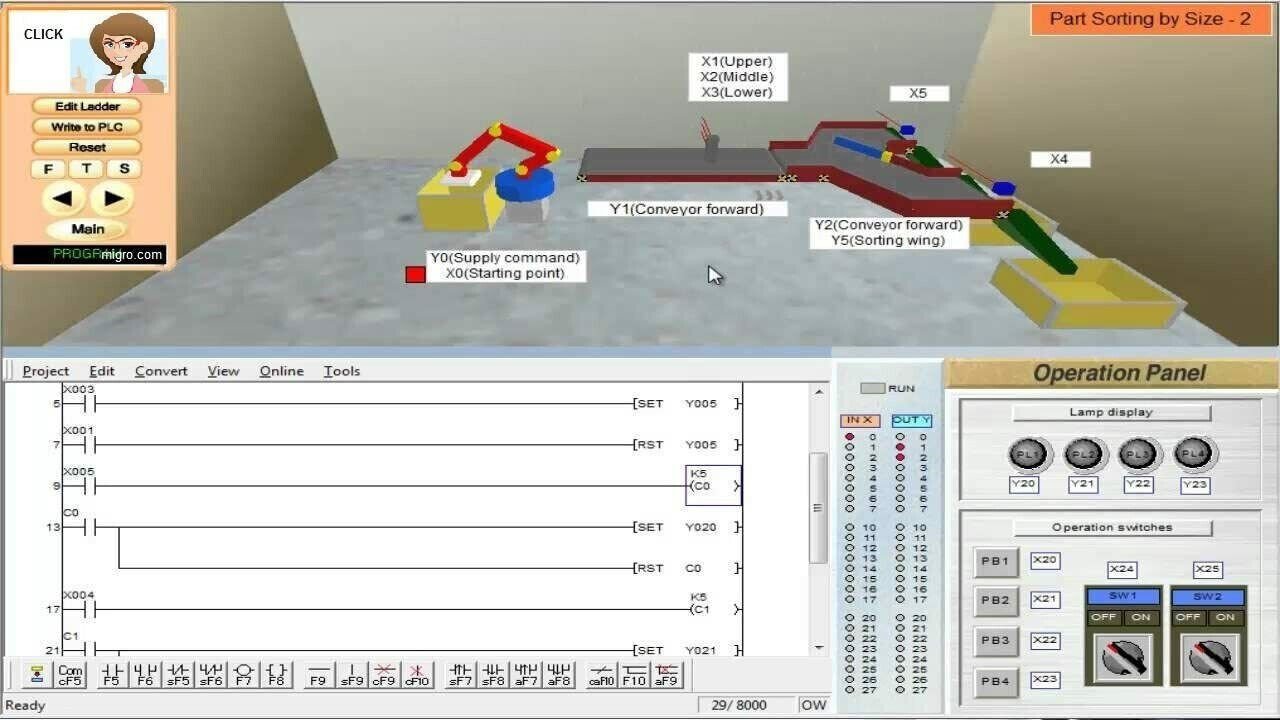


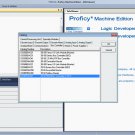
A000 PLC Programming Learning Course Learn the best of the PLC programming Supplied in USB Flash Drive Basic and Advanced Ladder LogicPLC Training Lessons Learn to program Ladder Logic Controllers Supplied in USB Flash Drive Virtual PLC Basic and Advance Examples Electronic format Included: Training, Operating, and Software Manuals. Introduction Complete Course Step by Step with programming lessons Easy learning lessons applicable to any Ladder Logic PLC hardware environment Graphic Programming and Simulation, Evaluation at every lesson Table of Contents LESSON 1 – Introduction and Overview 1.1 Course Objectives ..................................................................................... 1 1.2 Course Prerequisites ................................................................................. 1 1.3 Course Duration......................................................................................... 1 1.4 Course Description .................................................................................... 2 1.5 Product Line Overview............................................................................... 3 LESSON 2 – FX-Series Hardware Review 2.1 What is a dedicated PLC? ......................................................................... 5 2.2 FX Line of PLCs......................................................................................... 6 2.3 Hardware Components .............................................................................. 8 2.4 Inputs....................................................................................................... 10 2.5 Outputs ....................................................................................................12 2.6 Special Function Modules........................................................................ 14 2.7 High Speed Counter & Positioning Modules............................................ 15 2.8 Communication Modules and Option Boards........................................... 17 2.9 Network Modules & Option Boards.......................................................... 19 2.10 Miscellaneous .......................................................................................... 21 2.11 Power Supplies........................................................................................ 21 2.12 Exercise – Power Supply Calculation ...................................................... 29 2.13 Memory Types ......................................................................................... 30 LESSON 3 – Programming Equipment 3.1 Hand-Held Programming Units ................................................................ 33 3.2 Programming Software ............................................................................ 33 3.3 GX-Developer Overview ...................................................................................34 3.4 File Format ..........................................................................................................37 3.5 Hardware Connection........................................................................................ 37 LESSON 4 – Number Systems 4.1 Binary Numbers ....................................................................................... 39 4.2 Hexadecimal Numbers............................................................................. 40 4.3 Octal Numbers......................................................................................... 41 4.4 Binary Coded Decimal ............................................................................. 42 4.5 Exercise – Number Systems Conversion................................................. 43 LESSON 5 – Numeric Data in PLCs 5.1 Integer (16/32 Bit) .................................................................................... 45 5.2 Decimal (16/23 Bit) .................................................................................. 47 LESSON 6 – System Devices 6. System Devices ....................................................................................... 49 LESSON 7 – Addressing 7.1 Right Side Bus Rules of Addressing ........................................................ 53 7.2 FX3U Left Side Bus Addressing .............................................................. 53 7.3 Example................................................................................................... 55 7.4 Exercise – PLC Addressing ..................................................................... 56 LESSON 8 – Demo Kit Layout 8.1 Addressing............................................................................................... 55 8.2 Indicator Lights ........................................................................................ 56 8.3 Operator Interface.................................................................................... 56 LESSON 9 – PLC Instruction Types 9.1 Basic Instructions..................................................................................... 59 9.2 STL (Step Ladder) Instructions ................................................................ 59 9.3 Applied Instructions ................................................................................. 59 LESSON 10 – Basic Instructions 10.1 Symbols ................................................................................................... 61 10.2 Ladder Basics .......................................................................................... 62 10.3 Common Instructions ............................................................................... 63 10.4 Exercise – Ladder Basics ........................................................................ 65 LESSON 11 – Develop and Edit Programs 11.1 Launching GX-Developer......................................................................... 67 11.2 Creating a New Project ............................................................................ 68 11.3 Editing the Ladder.................................................................................... 69 11.4 Program Transfer..................................................................................... 70 11.5 Online Editing .......................................................................................... 71 11.6 Monitor the Program Operation ............................................................... 72 11.7 Forcing Bits and Changing Registers ...................................................... 73 11.8 Exercise – Contacts and Coils ................................................................. 73 LESSON 12 – Timers and Counters 12.1 Timers...................................................................................................... 75 12.2 Counters .................................................................................................. 76 12.3 Program Examples .................................................................................. 79 12.4 Additional Timer Commands.................................................................... 81 12.5 Exercise – Timers and Counters.............................................................. 82 12.6 Exercise – Conveyor Control ................................................................... 82 LESSON 13 – Applied Instructions 13.1 General Format........................................................................................83 13.2 Data Transfer Instructions........................................................................ 84 13.3 Comparison Instructions .......................................................................... 85 13.4 Exercise – Parking Lot ............................................................................. 88 13.5 Exercise – Conveyor Control Part 2......................................................... 88 13.6 Conversion Instructions ........................................................................... 88 13.7 Increment and Decrement Instructions .................................................... 89 13.8 Exercise – INC and DEC ......................................................................... 89 13.9 Arithmetic Instructions.............................................................................. 89 13.10 Exercise – Binary Math............................................................................ 90 13.11 Exercise – Parking Lot Part 2 .................................................................. 90 13.12 Exercise – Conveyor Control Part 3......................................................... 90 13.13 High-Speed Processing ........................................................................... 90 13.14 TO/FROM Instructions ............................................................................. 92 13.15 Exercise – FX2N-5A Module Access ....................................................... 93 13.16 Shift Registers ......................................................................................... 93 13.17 Exercise – Bit Shift Register .................................................................... 94 13.18 Program Flow Control .............................................................................. 95 LESSON 14 – Diagnostic Devices 14.1 Special M Relays .....................................................................................97 14.2 Special D Registers ...............................................
Other Products from mikebaker (View All)
-
$29.97

-
$278.82
-
$390.35
-
$41.82

-
$320.64
-
$376.41

-
$529.76
-
$278.82
-
$264.88

-
$37.64